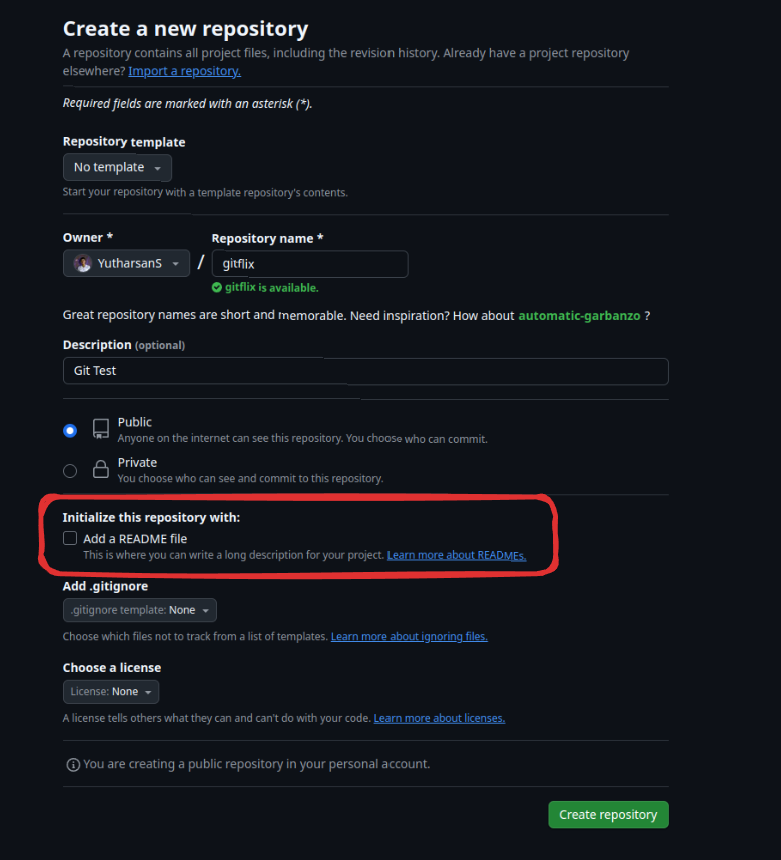
- Go to your git hub account and create a new empty repository
When creating the repository, make sure that you don't create the README, otherwise the repository starts with an initial commit, which may conflict with your local git commit history.
- Get your remote Link(Either http or ssh)

- Go to your local repository, and the remote link to the repository
git remote add origin <link>- Fetch the origin
git fetch origin- Push the changes to your remote repository, since in you don’t have upstream branch already setup, we need set it in the command.
git push --set-upstream origin main- Observe your remote repository, and observe whether the commit history matches your local
git log